 MailCraft
Your mail, on your own computers.
Mail, calendar, contacts and tasks in one desktop program, written from scratch in Rust. Free, open source and private by default.
For organisations in the UK and EU, including those moving their mail away from Microsoft. We ask what you need and reply from a real inbox.
MailCraft for BusinessStatus
Only what's in the app today. Tell us what you need next.
Everything in one window.
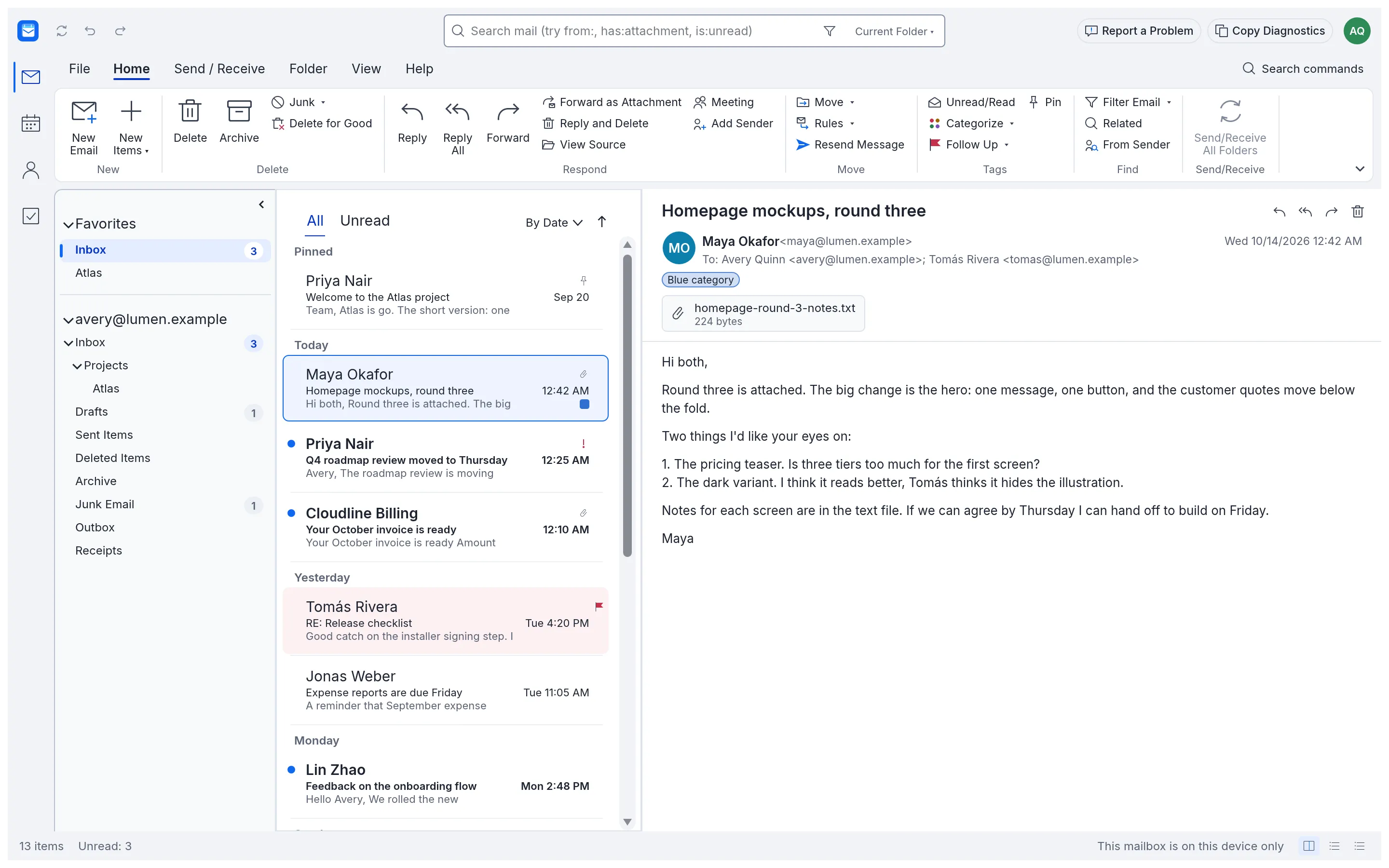
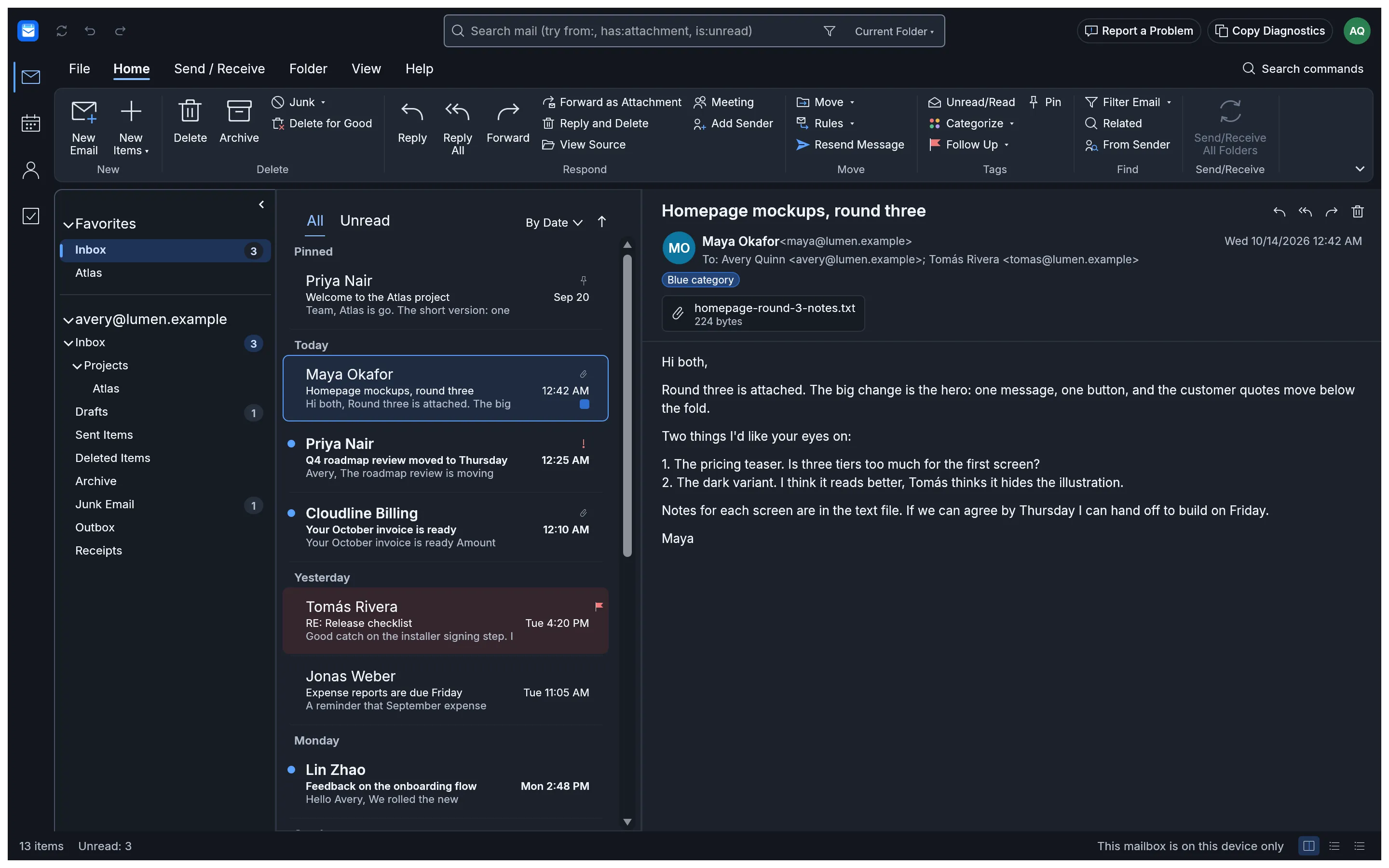
MailCraft puts mail, calendar, contacts and tasks in one desktop program. The ribbon runs across the top, folders sit on the left, and the message list and reading pane fill the rest.
- One window for the dayRibbon, folder pane, message list, reading pane, calendar.
- A real desktop appNot a web page in a window. Windows, macOS, Linux and FreeBSD.
- Microsoft 365 now, your choice laterMicrosoft 365 and Outlook.com today, and any mail server that uses IMAP, so staff keep the same program if you change provider. Calendars and contacts sync with Microsoft accounts only, for now.
Private by design.
Care homes, clinics, law firms and accountants hold information their clients trust them with. MailCraft is built so that what's in your mail stays between you and the people you write to.
- No telemetryThe app sends nothing about you or your mail to us.
- Web pictures wait for youPictures hosted on the web load only when you ask, so a tracking pixel can't report that you opened a message.
- Mail stays on the computerNo MailCraft server sits between you and your mail.
- Open sourceAnyone can read the code and check these claims. See it on GitHub.
What MailCraft for Business includes.
The app stays free for everyone. Organisations pay for help around it. Nothing is priced yet.
- DeploymentHelp approving MailCraft in your Microsoft directory and installing it on your computers.
- SupportAnswers from the people who write the code, from a real inbox.
- Features for organisationsBuilt for organisations that sign up, starting with what you tell us you need.
For administrators.
Whether you're the IT lead or the outside provider who looks after the organisation's computers, the docs cover what you'll be asked.
Questions people ask.
Is MailCraft really free?
Yes. The app is free and open source, under the MIT licence. MailCraft for Business adds deployment, support and features for organisations. Nothing is priced yet.
Is it ready for our organisation's mail?
MailCraft is in public beta for Microsoft accounts. Keep your current mail program to hand while you try it. Talking to us now means what you need gets built first.
Which mail servers does it work with?
Microsoft 365 and Outlook.com, and any server with IMAP and SMTP. Support for your own Exchange server, through Exchange Web Services, is being tested.
Why does Microsoft ask for an administrator's approval?
MailCraft's publisher isn't verified by Microsoft yet, so an administrator approves it once for the whole organisation. How to approve it.
Where is our mail kept?
On each computer, in the person's own folder. There's no MailCraft server in between, and no telemetry. MailCraft doesn't encrypt the mailbox, so use full-disk encryption. Data and security questions.
Is it made by Microsoft?
No. MailCraft is a separate program, written from scratch in Rust, and stewarded by UCS Care Group. It connects to Microsoft 365 as any mail program can.
Tell us what you need.
MailCraft is in public beta for Microsoft 365, so start with a test group before the rest of the organisation. Talking now means what you need gets built first.